Sign PDF Tool – Sign Documents Online in Seconds
Save time, eliminate printing costs, and sign documents from anywhere. With our Advanced Sign PDF Tool, you can complete paperwork in minutes and keep your workflow fully digital.
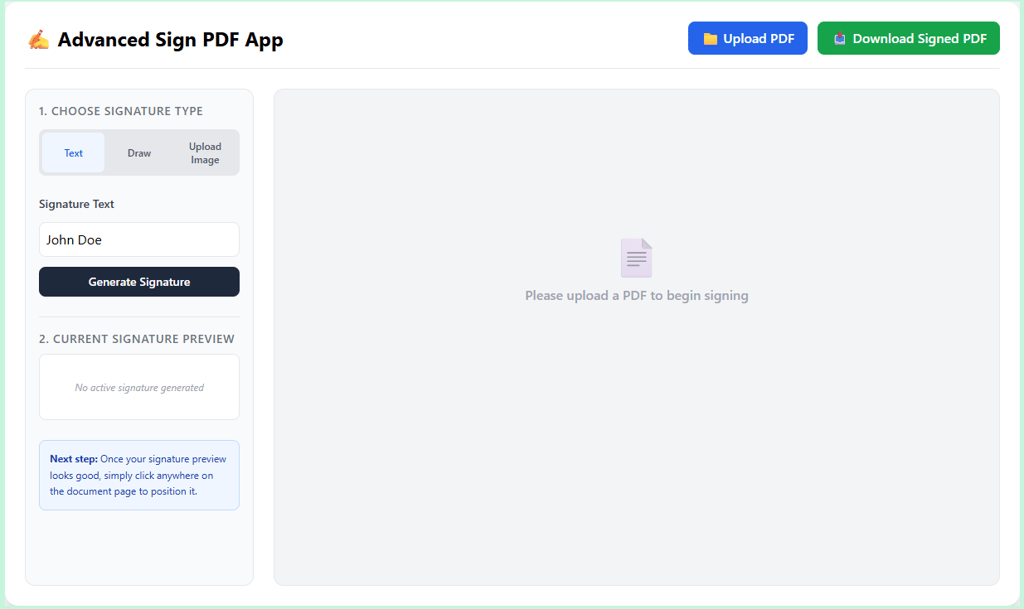
Need to sign a PDF without printing, scanning, or installing expensive software? Our Advanced Sign PDF Tool makes it easy to add professional signatures to any PDF document directly from your browser.
Whether you're a freelancer, business owner, student, HR professional, or remote worker, this tool helps you sign contracts, agreements, forms, invoices, and official documents quickly and securely.
Key Features
✅ Upload any PDF document instantly
✅ Create signatures using text input
✅ Draw your signature naturally with your mouse or touchpad
✅ Upload an image of your handwritten signature
✅ Drag and place signatures anywhere on the PDF
✅ Download the signed PDF in one click
✅ Works on desktop, tablet, and mobile devices
✅ No software installation required
✅ Fast, secure, and user-friendly interface
Perfect For
Business Contracts
Employment Documents
Rental Agreements
Client Proposals
Invoices
Government Forms
Educational Documents
Legal Paperwork
Secure & Private
Your files remain private throughout the signing process. The tool is designed to provide a seamless document-signing experience without unnecessary complexity.
How to Use
Upload your PDF file.
Choose a signature method (Text, Draw, or Upload Image).
Generate or upload your signature.
Place the signature on the document.
Download your signed PDF instantly.
Why Use This Tool?
Save time, eliminate printing costs, and sign documents from anywhere. With our Advanced Sign PDF Tool, you can complete paperwork in minutes and keep your workflow fully digital.
Sign PDFs online quickly, professionally, and hassle-free with ToolStack Daily.
Subscribe
© 2026. All rights reserved.